This content discusses the methods for setting up a second WhatsApp on both iOS and Android phones.
Today, the importance of mobile communication is greater than ever. Especially in professional life and social media interactions, many people need multiple WhatsApp accounts. Setting up a second WhatsApp can make it easier to manage both your personal and professional life. In this content, we will discuss how to create a second WhatsApp account on iOS and Android platforms, the necessary steps, and the points you need to pay attention to.
The advantages of using multiple WhatsApp accounts include separating your work and personal life, creating different communication channels, and interacting with more people. The second WhatsApp download process is quite simple, especially for Android and iOS users. In this article, you will find step-by-step instructions on how to do it and which applications you need to use.
There are several different methods to set up a second WhatsApp account on Android devices. These include options like app cloning and using third-party applications. Each method offers different advantages based on user needs.
For iOS users, the situation is a bit different; due to Apple's security policies, app cloning is generally not possible. However, obtaining a virtual number to create a different WhatsApp account is a common method.
This content aims to cover all aspects of creating a second WhatsApp account, addressing both user needs and current methods. With our detailed guide, you can progress step by step to find a solution that suits your needs.
Nowadays, many people feel the need to use multiple WhatsApp accounts on a single phone to manage their work and personal lives together. The method of using two WhatsApp accounts on one phone helps users manage their personal and business communications more efficiently. This process can be carried out with quite simple steps on devices with both iOS and Android operating systems. Users can also apply various methods regarding the downloading of a second WhatsApp.
Methods for Setting Up a Second WhatsApp Account
Using a virtual number is often a prominent option for creating a second WhatsApp account. E-sim virtual and fake numbers used abroad allow users to open a second WhatsApp account. This way, users can communicate with different numbers through just one device. Both Android and iOS users can securely manage their second accounts using these virtual numbers. This is particularly important in professional settings for maintaining professionalism and privacy.
Remember: When managing both accounts, it is crucial to carefully follow the number verification steps and obtain virtual numbers from reliable sources.
In conclusion, creating a second virtual WhatsApp line for Android and iOS greatly facilitates users in managing both their work and personal lives. By following the necessary steps, it becomes possible to use two different WhatsApp accounts on a single phone. These methods allow users to maintain their communications more effectively.

The need to use two WhatsApp accounts on a single phone has become an important topic for many users today. This situation is an inevitable necessity, especially for those who want to separate their work and personal lives. Downloading a second WhatsApp application on Android and iOS platforms is quite easy. This process allows users to manage their personal and business communications more efficiently.
Steps to download the second WhatsApp may vary depending on which platform you are using. Android users can download the WhatsApp Business application from the Google Play Store to create a second account. This application not only offers business-oriented features but also allows users to communicate with a different number. iOS users can download a similar application called WhatsApp Business from the App Store.
Additionally, you can consider the option of getting a virtual WhatsApp number to create a second WhatsApp account. For those living abroad, e-SIM virtual number services can be quite beneficial in this process. These types of numbers allow users to open WhatsApp accounts with a new number without acquiring any physical SIM card. This way, you can separate your personal and work life while maintaining continuity in your communications.
Remember that while using both WhatsApp applications, it is very important to review your privacy settings and manage both accounts securely.
Today, many people use the WhatsApp application for both work and personal life. However, for those who need two different WhatsApp accounts, setting up a second WhatsApp and obtaining a virtual WhatsApp number is quite important. Having both personal and work-related WhatsApp accounts on your mobile device enhances user experience and makes communication more organized. There are several ways to achieve this for both Android and iOS users.
As the first method, you can download and use the WhatsApp Business application. This app is designed for business purposes, allowing you to open a second WhatsApp account. WhatsApp Business offers all the features of regular WhatsApp, along with additional functionalities. For example, you can benefit from features like automated responses, business hours, and product catalogs.
The second method is to obtain a virtual WhatsApp number. There are various e-SIM providers or platforms that offer virtual phone number services for this purpose. These services are especially ideal for those living abroad. By acquiring a virtual number, you can use your WhatsApp application with a second account, making your communication more efficient. However, since some of the numbers obtained through this method may be temporary or fake, it is important to be cautious. Getting a number from a reliable provider will help prevent potential issues.
In conclusion, the need to use two WhatsApp accounts on a phone has increasingly become a necessity. By considering these methods available for both Android and iOS users, you can enhance your communication experience. Remember, choosing reliable sources when obtaining a virtual WhatsApp number ensures a smooth usage in the long run.
WhatsApp, as one of the most widely used messaging applications worldwide, does not offer users the option to open multiple accounts. However, when the need arises to use two WhatsApp accounts on phones, it becomes inevitable for users to seek alternative solutions to separate their work and personal lives. At this point, performing the second WhatsApp download is quite common for both Android and iOS users. To set up a second WhatsApp account, it is generally necessary to use an alternative application compatible with the operating system. For example, for Android users, WhatsApp Business is the business version of the official WhatsApp application, allowing the creation of a second account.
Furthermore, the use of international eSIM numbers for WhatsApp Business also stands out as an important option. An eSIM allows you to obtain a virtual phone number without a physical SIM card. This method is ideal, especially for individuals living abroad or traveling frequently. Users can create WhatsApp accounts with these virtual numbers and manage their business communications more professionally. Additionally, numbers obtained through eSIM help minimize security concerns.
In summary, there are many options available for users who want to set up a second WhatsApp line. These solutions, available for both Android and iOS platforms, help users better organize their work and personal lives. The use of virtual and fake numbers plays an important role in this process; however, it is crucial for users to work with reliable providers when choosing such services. Remember, by taking the right steps, you can make your WhatsApp communications more efficient.
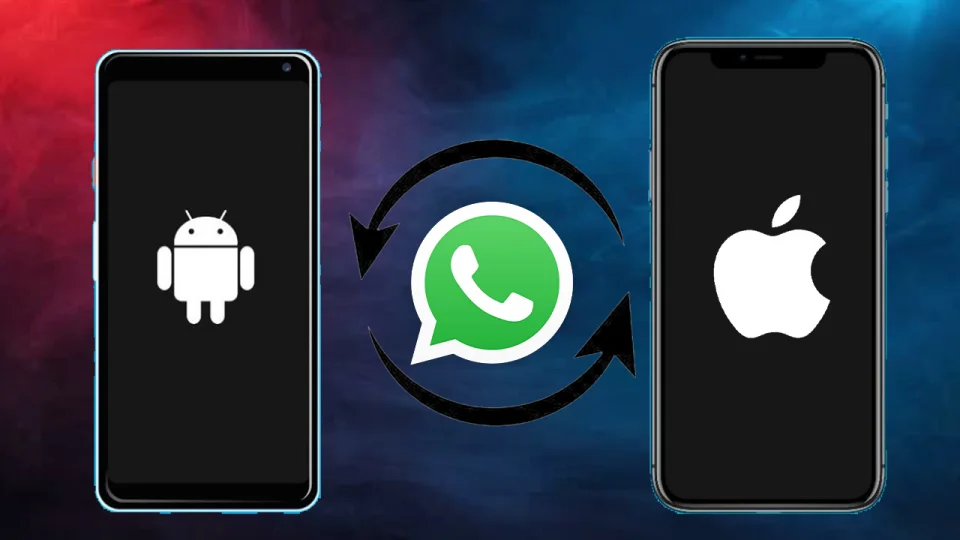
With the increasing need for communication today, many users wish to use multiple WhatsApp accounts on the same phone. The option to use two WhatsApp accounts provides great convenience, especially for those who want to separate their work and personal lives. This allows users to manage their personal and business communications more efficiently. Users can set up a second WhatsApp account on Android and iOS platforms to meet different communication needs.
To set up your second WhatsApp account, you can perform the second WhatsApp download from app stores. For Android users, they can download the "WhatsApp Business" app from the Google Play Store to create a business account. iOS users can do the same through a similar app from the App Store. This makes the process of getting and using a virtual WhatsApp number quite easy.
Additionally, for users located abroad, e-sim virtual number services provide significant convenience in creating a second WhatsApp account. With such services, users can securely obtain a fake WhatsApp number, allowing them to maintain their communications in a private and secure manner. The process of ensuring secure communication with a fake WhatsApp number not only protects your personal information but also strengthens your communication with different cultures and countries.